DJI Matrice 5TD Ultra High Resolution Mode Explained
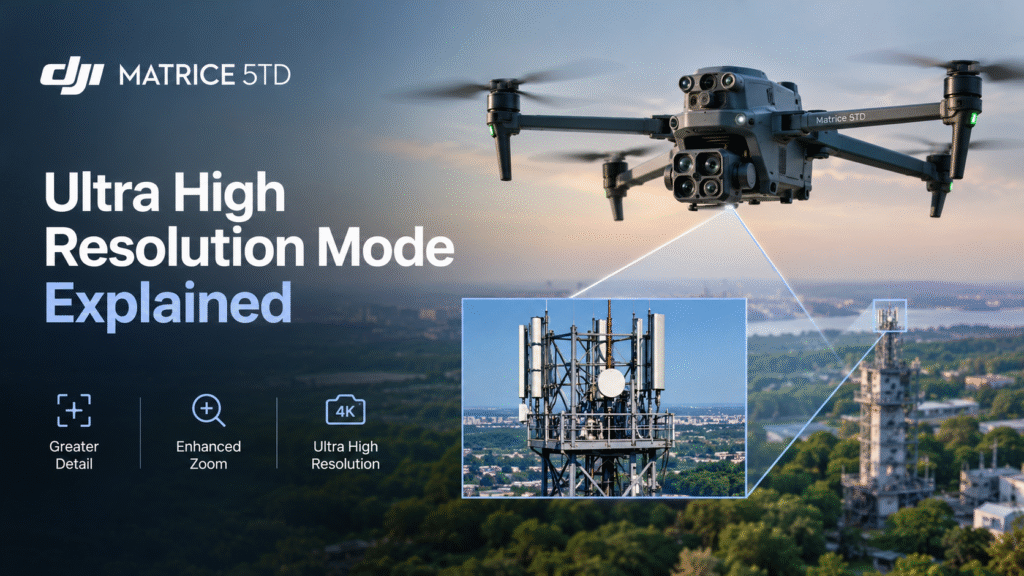
Thermal cameras are often judged by one number: resolution. The DJI Matrice 5TD lists a native thermal resolution of 1280 × 1024 and advertises an Ultra High Resolution mode of up to 2560 × 2048. On paper, that is a big step. In the field, what matters is how much usable detail it gives you.
This guide explains the DJI Matrice 5TD ultra high resolution mode in plain language: what the numbers mean, where more resolution helps, and what it cannot fix.
What Is Thermal Resolution?
A thermal image is a grid of pixels, and each pixel records a temperature reading. Resolution is the number of pixels in that grid. A 1280 × 1024 sensor has roughly 1.3 million of them, while 2560 × 2048 is about 5.2 million, four times the pixel count.
More pixels mean each part of a scene is described by more measurements. That can make small components easier to see and heat patterns easier to separate, especially when the target is far away.
Native Resolution vs Ultra High Resolution Mode
Native resolution is what the thermal sensor itself captures. DJI states the Matrice 5TD’s native resolution is 1280 × 1024.
Ultra High Resolution mode, or UHR, is DJI’s name for a mode advertised at up to 2560 × 2048.
| Item | Figure stated by DJI |
|---|---|
| Native thermal resolution | 1280 × 1024 |
| Ultra High Resolution mode | Up to 2560 × 2048 |
The words “up to” matter. These are manufacturer-stated figures, and the full conditions for the mode, including how it produces the larger output, should be checked in DJI’s official specifications before you plan around it.
What More Resolution Changes in Practice
Smaller targets become easier to spot. Electrical connections, fittings and small equipment parts occupy only a few pixels at a distance. A higher-resolution output gives a better chance of picking them out.
Distance matters less. Combined with the 11× telephoto capability, higher thermal resolution can help operators inspect infrastructure without flying close to every point. That is useful around electrical equipment, industrial installations and hard-to-reach structures.
Records improve. Sharper thermal images make inspection reports easier to read, and they help engineers compare images from one visit to the next, which supports predictive maintenance. Consistent records are what make trends visible.
What Resolution Does Not Fix
A high pixel count does not guarantee a good thermal survey. Several other factors shape the result:
- Distance and angle: The further you are, the less detail any camera can capture.
- Focus and settings: A poorly set camera gives poor images, whatever the resolution.
- Weather and time of day: Wind, rain, humidity and sunlight can all change what thermal imagery shows.
- Surface properties: Reflective or shiny surfaces can mislead thermal readings.
- Interpretation: A thermal anomaly does not confirm a fault. It tells the team where to look more closely.
In short, resolution improves what the camera records. It does not improve what the operator understands.
Getting Better Thermal Images
Good habits matter as much as pixels. For repeatable results:
- Use consistent camera settings and note them in your inspection records.
- Fly similar routes at similar times of day and in similar weather where possible.
- Compare an asset with similar equipment nearby, not just with itself.
- Keep baseline images so changes show up over time.
- Record conditions such as wind, temperature and distance.
Where Ultra High Resolution Mode May Help
Power line and substation inspection. Fine detail around connections and components helps engineers decide which points need a closer check. Findings still need review by qualified engineers, and the drone does not replace electrical safety procedures.
Industrial inspection. Used as a thermal drone for industrial inspection, the Matrice 5TD can survey machinery, electrical panels and pipelines. Extra detail may help identify which asset is running hot, rather than just which area.
Solar and large facilities. Larger sites produce a lot of imagery. Higher resolution can help teams separate individual items within a wide view, though results depend on settings, conditions and interpretation.
Security and after-hours monitoring. Thermal detail alongside night vision can help teams review remote areas, within an appropriate operating framework.
Does the DJI Dock 4 Change Anything?
Not for image quality. The DJI Dock 4 houses the Matrice 5TD between flights and supports remote deployment and recurring missions. DJI states it can complete a battery swap in about 25 seconds. What it adds is consistency: repeated flights on the same routes, producing comparable thermal images over time. That setup needs suitable connectivity, mission planning and compliance with applicable rules.
Conclusion
The DJI Matrice 5TD ultra high resolution mode is an advertised step up from the 1280 × 1024 native resolution, and it may help when detail matters, such as distant components and large sites. But resolution is only one part of a good thermal survey. Distance, settings, conditions and expert interpretation count just as much. Before buying the DJI Matrice 5TD in India, test the camera on your own targets and verify how the mode works.
Enquire About the DJI Matrice 5TD in India
Want to see how the DJI Matrice 5TD fits your inspection needs? Contact Dronevex for configuration guidance, pricing and availability at contact@dronevex.in or call +91 9429694828 / 9071136060. Our team will help you understand your requirements and find the right setup for your application.
Frequently Asked Questions
What is the DJI Matrice 5TD ultra high resolution mode?
It is a mode advertised by DJI at up to 2560 × 2048, compared with the native thermal resolution of 1280 × 1024. Check DJI’s official specifications for how it works and when it applies.
What is the native thermal resolution of the DJI Matrice 5TD?
DJI states a native thermal resolution of 1280 × 1024.
Does higher thermal resolution mean better inspections?
It can help you see finer detail, especially at a distance, but results also depend on focus, distance, weather, surface properties and interpretation. Qualified engineers should verify findings.
Can the DJI Matrice 5TD thermal imaging find faults on its own?
No. A thermal anomaly does not confirm a fault. It shows where to look more closely, and engineers should verify the cause.
Does the DJI Dock 4 improve thermal image quality?
No. The dock supports remote deployment, recurring missions and quick battery swaps, but image quality depends on the drone’s camera, settings and conditions.
Should I always use ultra high resolution mode?
Not necessarily. Test native and UHR output on your own targets, and check DJI’s documentation for how the mode works, before you standardise on it.